
Connect WhatsApp
Dialong Chats uses Twilio as the provider for WhatsApp Business API. Before adding a WhatsApp channel in Creatio, you need to set up a Twilio account, get a phone number, and register it as a WhatsApp sender.
Setting Up Twilio
Section titled “Setting Up Twilio”1. Create a Twilio Account
Section titled “1. Create a Twilio Account”- Go to twilio.com and sign up for an account
- Verify your email and phone number
- Complete the onboarding steps
2. Get Your Account SID and Auth Token
Section titled “2. Get Your Account SID and Auth Token”You will need these credentials to connect WhatsApp to Dialong Chats.
- Log in to the Twilio Console
- On the Account Dashboard, find the Account Info section
- Copy your Account SID
- Click Show next to Auth Token to reveal it, then copy it
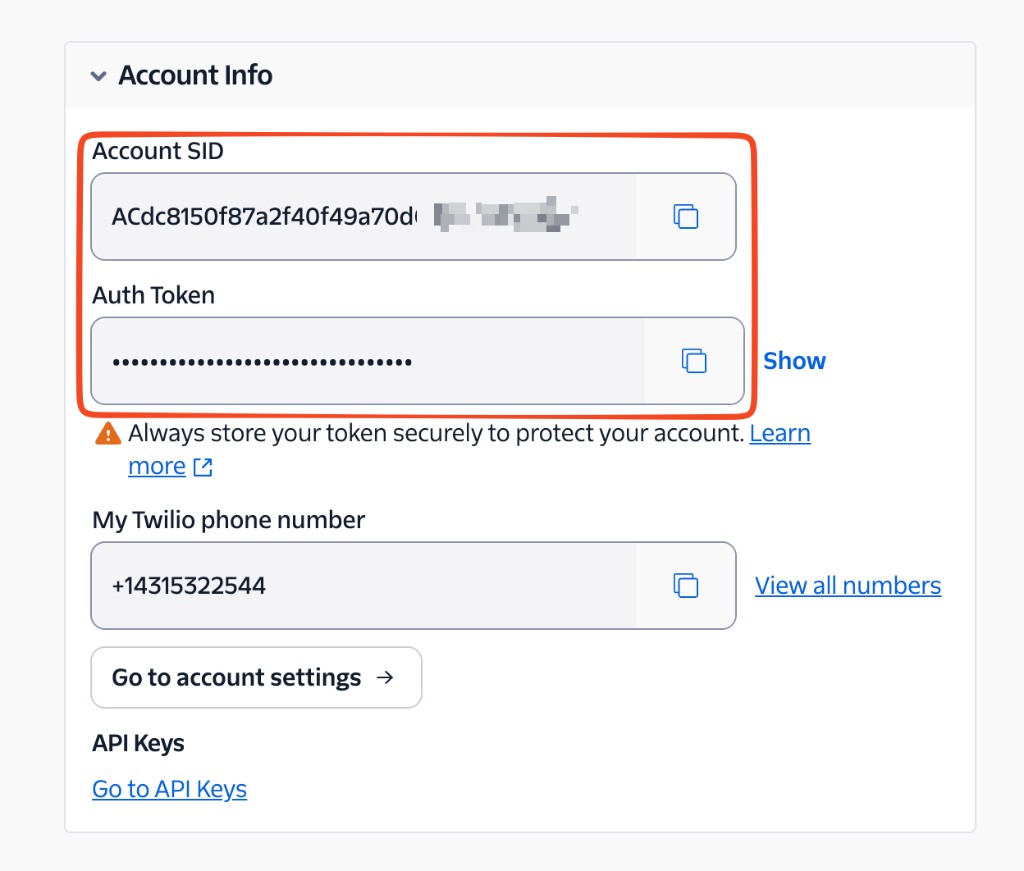
3. Get a Phone Number
Section titled “3. Get a Phone Number”You can use a Twilio phone number or your own phone number.
To purchase a new number through Twilio:
-
In the Twilio Console, go to Develop → Phone Numbers → Manage → Buy a number
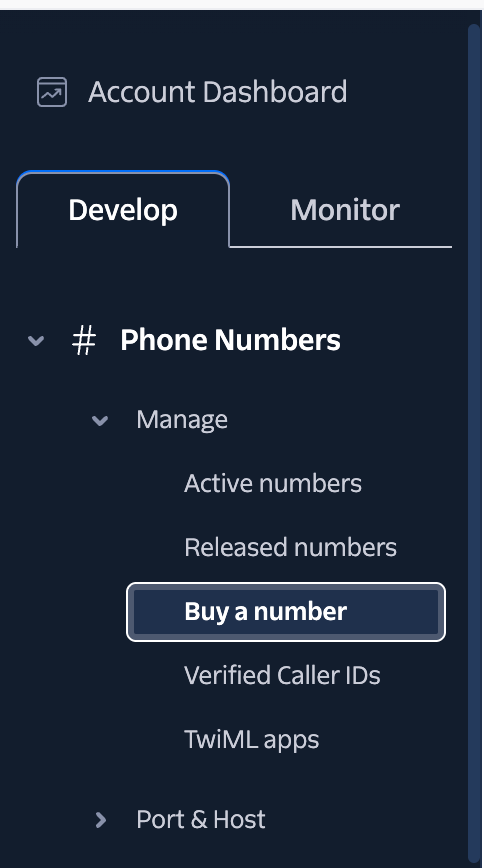
-
Select the Country
-
Make sure the number supports SMS capability (the number must be able to receive messages)
-
Click Search and review available numbers
-
Click Buy to purchase a number
4. Register a WhatsApp Sender
Section titled “4. Register a WhatsApp Sender”Regardless of whether you use a Twilio number or your own, you must register it as a WhatsApp sender before it can be used with Dialong Chats.
-
In the Twilio Console, go to Messaging → Senders → WhatsApp senders
-
Click Create new sender
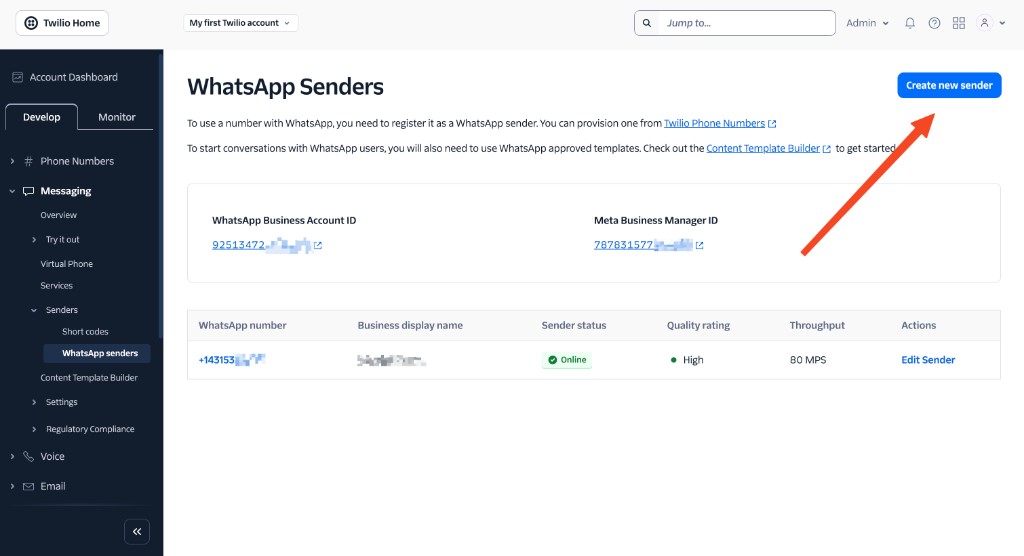
-
Select your phone number — choose Twilio phone number or My own phone number
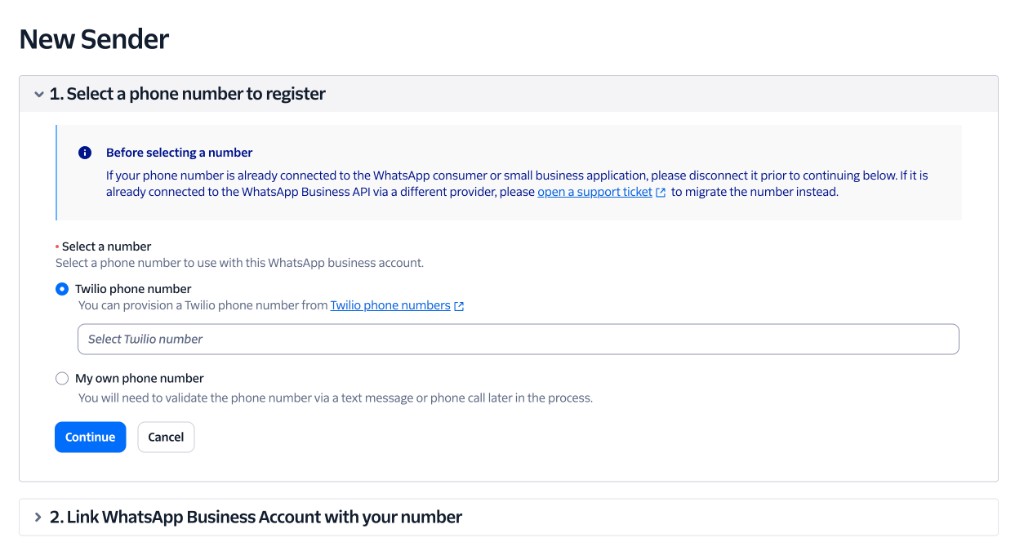
-
Click Continue and follow the steps to connect your Meta Business Account and verify your business
Channel Configuration in Creatio
Section titled “Channel Configuration in Creatio”Once you have your Twilio credentials and a registered WhatsApp sender, you can add the channel in Creatio.
-
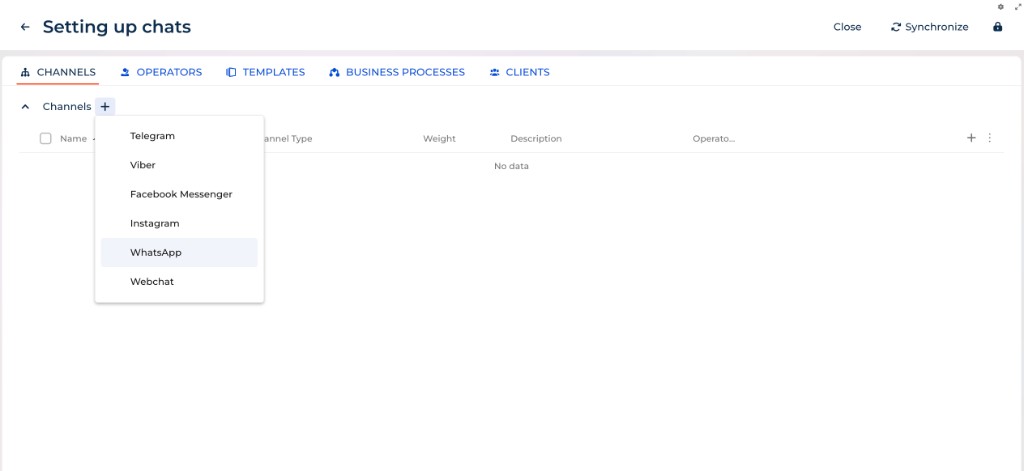
Click the ✚ icon next to Channel
-
Choose WhatsApp
-
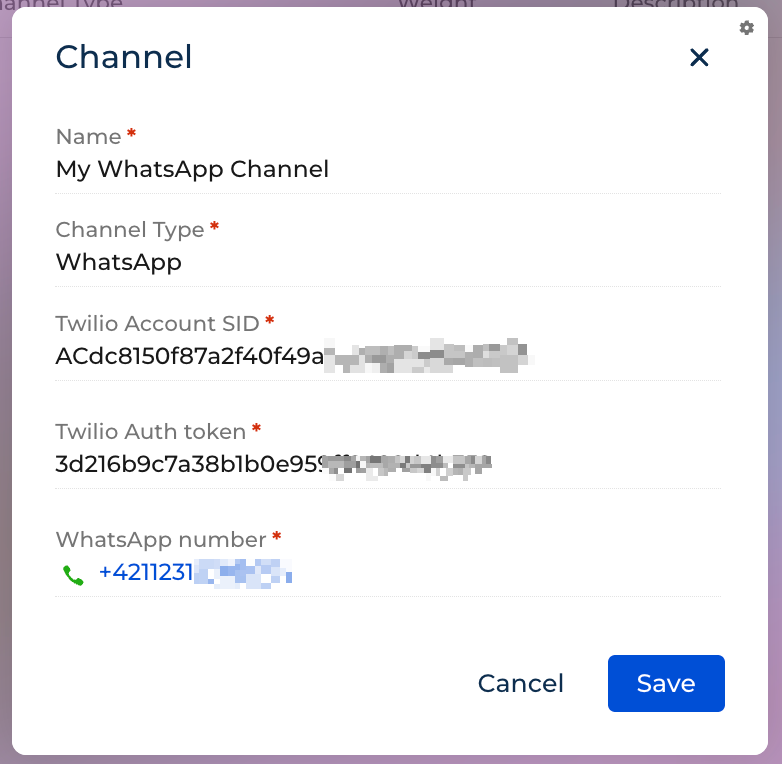
Enter the Name of your channel
-
Enter your Twilio Account SID
-
Enter your Twilio Auth Token
-
Enter your WhatsApp number (in international format, e.g. +421…)
-
Click the Save button
Next steps are described here: Channels.
To message customers outside the 24-hour window, you need Meta-approved templates. See WhatsApp Templates.