
Connect Facebook Messenger
Prerequisites
Section titled “Prerequisites”Before connecting Facebook Messenger to Dialong Chats, make sure you have:
- A Facebook Page for your business (personal profiles cannot be used)
- Admin access to that Facebook Page
Channel Configuration in Creatio
Section titled “Channel Configuration in Creatio”-
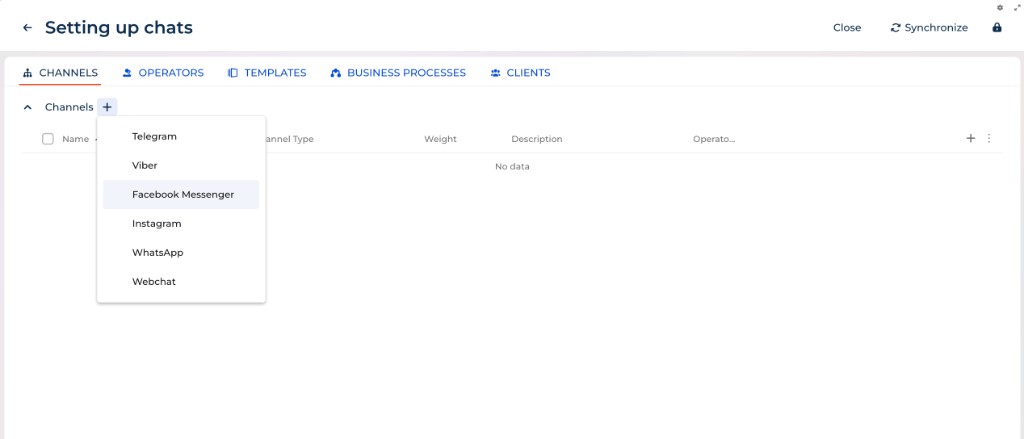
Click the ✚ icon next to Channel
-
Choose Facebook Messenger
-
Click Continue with Facebook
-
Log in to your Facebook account if prompted
-
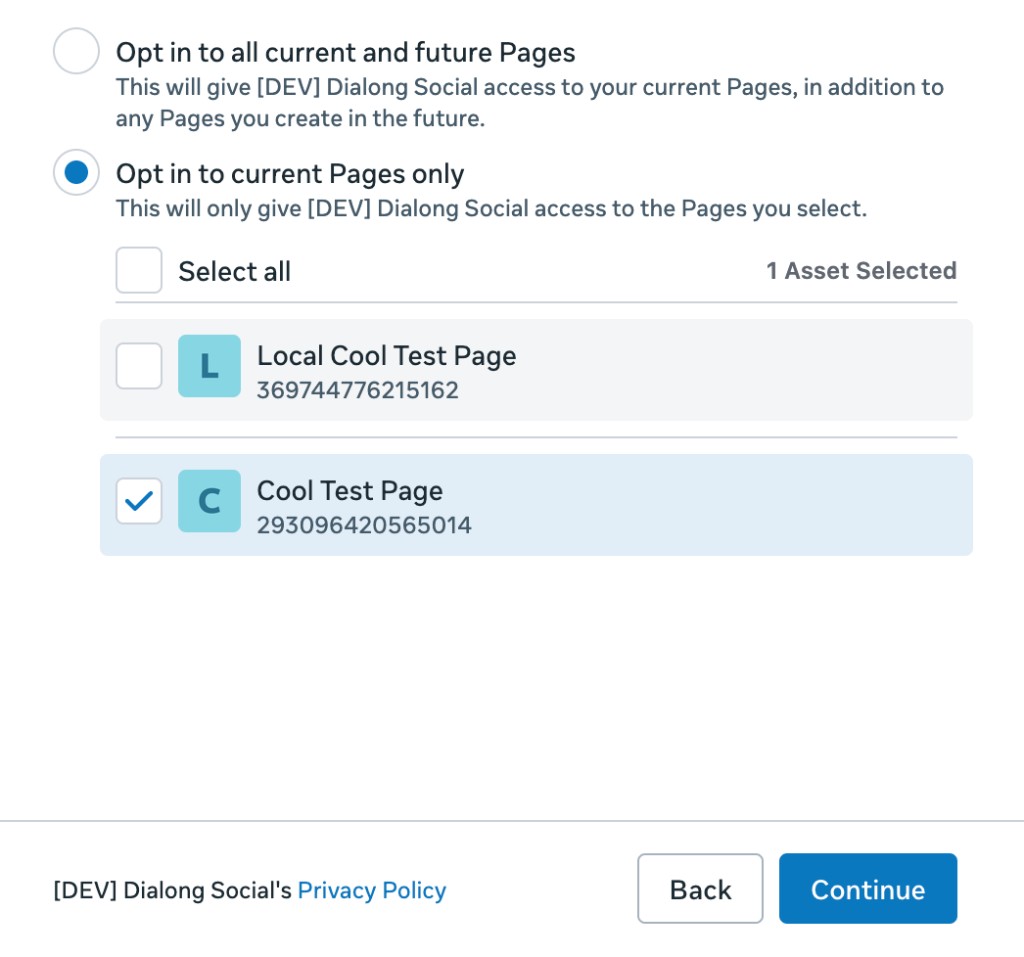
Select the Facebook page (or pages) you want to connect and confirm the permissions
-
Click Continue and Save
-
Enter the Name of your channel
Next steps are described here: Channels